
To stay updated with the latest announcements and updates for the Delta Executor iOS, joining its Discord server is essential. If you have used a Roblox executor before, you already know that Roblox updates frequently. To keep the Delta iOS stable with the latest Roblox version, developers continuously release updates.
The official way to get these updates and news is by joining the Delta Discord server. If you’re new, this article will guide you on how to join the Delta iOS Executor server and explain the benefits of doing so.
So, keep reading!
What is the Delta iOS Discord Server?
The Delta iOS Discord server is a hub for Roblox players. Currently, the server has over 750K members, with more than 50K active followers online at any given time. If you ever encounter any issues or errors while using the Delta iOS Executor, you can get troubleshooting guides from the community.
Joining this server is also important because whenever the Delta developers upgrade their tool, they update the server on whether Delta is online or offline. This helps users stay informed about when the tool will be unavailable and when the next update will be released.
Since our website is dedicated to the Delta iOS Executor, we strive to provide users with the best possible assistance. If you want to stay informed about Delta Executor’s development, simply click the following link and join its Discord server: https://discord.com/invite/deltaex.
How to Join the Delta Discord Server?
Joining the Delta iOS Discord server is very easy. Just follow these steps:
Step 1: Click on the link provided above: https://discord.com/invite/deltaex. This link will take you to Discord’s page, where you will see the Delta Dynamics server name along with information about the total members and online members.
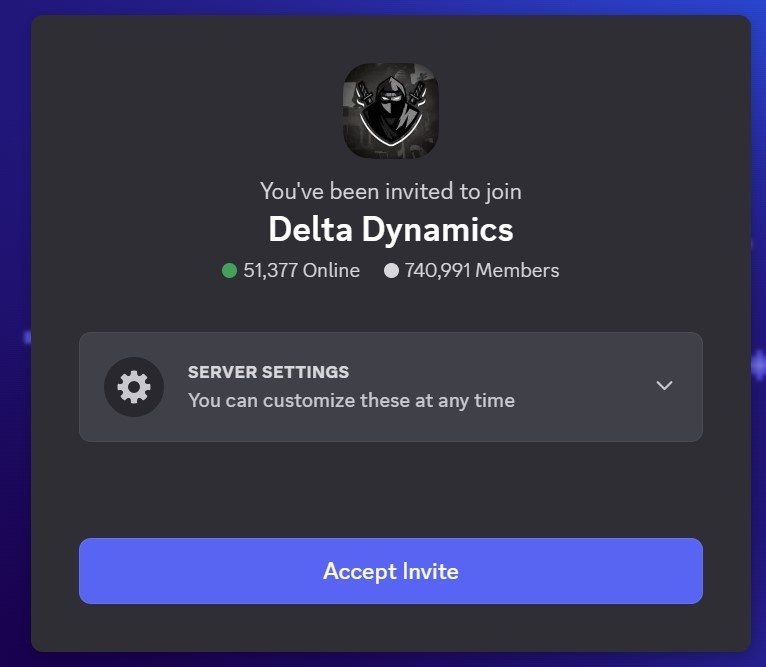
Step 2: Below this information, you will find the “Accept Invite” button. Click on it to proceed.
Step 3: Once you accept the invitation, the Discord app will open automatically (if installed). If you don’t have the app, you can continue in your web browser.
Step 4: Upon joining the server, you must verify yourself through Double Counter. This step is essential to ensure that users are real people and not bots.
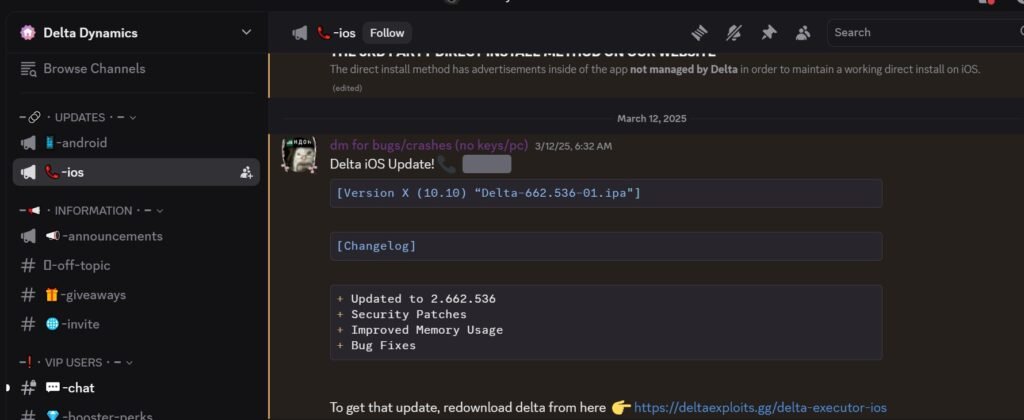
Step 5: After completing verification, you will have full access to all the features of the Delta iOS Discord server. Enjoy the community and stay updated!